A CT court case look up takes just minutes through the state’s free online portal. The Connecticut Judicial Branch gives the public digital access to millions of court records. You can search by name, docket number, or case type right from your phone.
Over 2.3 million case filings hit Connecticut courts every single year. That huge volume means the database updates around the clock. Knowing exactly where to search saves you serious time and frustration.
This guide walks you through every search method available in 2026. You will learn how to find civil, criminal, and family court records fast. We also explain what to do when a case seems to be missing.
Whether you are tracking your own case or researching someone else, this page covers it all.
Related: LA Court Case Search 2026: Complete Free Online Guide
CT Court Case Look Up
A CT court case look up lets you search state court records through a digital portal. The Connecticut Judicial Branch operates the main system for all public case searches. It covers civil, criminal, family, and housing matters statewide.
You do not need a lawyer or special credentials to use it. Any member of the public can pull up most records for free. The system runs 24 hours a day, seven days a week.
Think of it like a library catalog for legal cases. You type in a name or number, and the system returns matching files. The results show basic case details, hearing dates, and final dispositions.
| Search Type | What It Covers | Access Level |
|---|---|---|
| Civil/Family | Lawsuits, divorces, custody | Public with restrictions |
| Criminal | Felonies, misdemeanors, infractions | Fully public |
| Appellate | Appeals from Superior Court | Fully public |
| Housing | Evictions, landlord disputes | Public |
Some case types have limited visibility due to privacy laws. Juvenile and certain family matters are partially sealed from public view.
How to Look Up Court Cases in Connecticut
You look up Connecticut court cases through the Judicial Branch eServices portal. This is the single starting point for all state court record searches. The process takes about two to five minutes for a basic query.
Start by going to the official state judiciary website. Click on the “Case Look Up” tab near the top of the homepage. You will see options for civil, criminal, and appellate searches.
Pick the category that matches your case type. Enter the required information in the search fields. Hit submit and review the results list that appears.
- Step 1: Open the Judicial Branch website on any browser.
- Step 2: Select “Case Look Up” from the main menu.
- Step 3: Choose civil, criminal, or appellate search.
- Step 4: Enter a name, docket number, or attorney name.
- Step 5: Review and filter the results on screen.
If you get too many results, add a first name or court location. Narrowing your search saves you from scrolling through hundreds of unrelated entries.
Connecticut Court Records Online
Connecticut court records online include most cases filed in Superior Court since the 1990s. The digital database holds decades of case history across all 13 judicial districts. Older records may require a trip to the local clerk’s office.
The system stores case filings, motions, orders, and final judgments. You can view docket entries and hearing schedules from your computer. Some documents are available for direct download as PDF files.
Family and juvenile cases come with stricter access rules online. Sensitive details about minors are redacted from the public view. You may need to visit the courthouse to see the full file.
| Record Era | Availability | Search Method |
|---|---|---|
| 2000 to 2026 | Full digital access | Online portal |
| 1990 to 1999 | Partial digital access | Online plus clerk request |
| Before 1990 | Paper records only | In-person at courthouse |
Quick Fact: The Connecticut State Library holds archived records dating back to the 1600s for historical research purposes.
Key Takeaway: The CT Judicial Branch eServices portal is your single starting point for all free online court case searches in Connecticut.
CT Judicial Branch Case Lookup
The CT Judicial Branch case lookup tool is the official state search system. It is the only government-run portal for Connecticut court records. Third-party sites may mirror some data, but this is the primary source.
The tool covers all 13 judicial districts across the state. Each district has its own courthouse and case numbering prefix. The central system pulls data from every district into one searchable database.
Updates happen nightly on business days. A case filed on Monday morning will typically appear online by Tuesday. Weekend and holiday filings show up on the next business day.
- Hartford Judicial District
- New Haven Judicial District
- Bridgeport Judicial District
- Waterbury Judicial District
- Stamford Judicial District
- Danbury Judicial District
- New Britain Judicial District
- New London Judicial District
- Norwich Judicial District
- Middletown Judicial District
- Rockville Judicial District
- Ansonia-Milford Judicial District
- Litchfield Judicial District
Knowing your judicial district helps you verify search results. Cases from the wrong district may have similar names but different docket numbers.
CT Court Case Lookup by Name
A CT court case lookup by name requires at least a last name to search. The system matches your query against plaintiff and defendant records. Adding a first name cuts down the results dramatically.
Enter the exact spelling of the last name for best results. The search is not forgiving with typos or alternate spellings. Try variations if your first search comes up empty.
Common names like Smith, Rodriguez, or Johnson can return thousands of hits. Use the court location filter to narrow things down by district. You can also filter by case type to skip irrelevant matches.
| Search Input | Expected Results | Tip |
|---|---|---|
| Last name only | Hundreds to thousands | Add court location filter |
| Full name | Dozens to hundreds | Add case type filter |
| Full name plus DOB | Very few | Most precise option |
Middle initials can help when two people share the same full name. The system sometimes lists middle names in the party details section of each result.
Connecticut Court Case Lookup by Docket Number
Searching by docket number is the fastest way to find one specific case. A Connecticut docket number follows a predictable format that encodes key details. Once you learn the pattern, you can decode any docket number instantly.
A typical docket number looks like this: HHDCR210123456S. The first letters identify the judicial district. The middle section shows the case type and filing year. The final digits are the unique sequence number.
- HH = Hartford Judicial District
- D = Division code
- CR = Criminal case type
- 21 = Year filed (2021)
- 0123456 = Sequential case number
- S = Suffix code
This format applies across all case types with minor variations. Civil cases use “CV” instead of “CR.” Family cases use “FA.” Knowing these codes helps you confirm you found the right file.
Key Takeaway: Searching by docket number is the quickest method, and learning the JD code format helps you verify you have the correct case.
CT Superior Court Case Search
The CT Superior Court case search covers the state’s primary trial court. Superior Court handles the vast majority of legal matters in Connecticut. This includes serious criminal charges, civil lawsuits, and family disputes.
There are 13 Superior Court locations spread across the state. Each one feeds its docket into the central online system. You do not need to know which courthouse handled the case to search for it.
The search results show the case title, filing date, and current status. You can click into each result to see the full docket history. Hearing dates and judge assignments appear in the detailed view.
| Case Category | Superior Court Division | Typical Timeline |
|---|---|---|
| Criminal felony | Criminal Division | 6 to 18 months |
| Civil lawsuit | Civil Division | 12 to 36 months |
| Divorce | Family Division | 4 to 14 months |
| Small claims | Small Claims Division | 2 to 6 months |
Small claims cases under $5,000 follow a simpler process. These dockets are shorter and often resolve within a few months of filing.
Connecticut Criminal Court Records
Connecticut criminal court records show charges, hearings, and final case outcomes. These records cover everything from traffic infractions to serious felony charges. The public can view most criminal case details without restriction.
A criminal record entry lists the original charges and any amendments. You can see bail amounts, plea agreements, and sentencing details. Disposition codes tell you whether the case ended in conviction, dismissal, or acquittal.
Some criminal records get sealed under Connecticut’s Clean Slate Act. This law expanded automatic erasure for certain misdemeanor and felony convictions. Sealed cases will not appear in a standard online search.
- Arrest date and booking information
- Formal charges and statute numbers
- Bail or bond amount set by the judge
- All court appearance dates
- Final disposition and sentence details
Records for cases involving minors are handled differently. Juvenile criminal matters are sealed from public access by state law.
CT Civil Case Lookup
A CT civil case lookup reveals lawsuits between private parties or businesses. Civil cases cover a wide range of legal disputes in Connecticut. These include personal injury claims, contract disagreements, and property conflicts.
The online records show the original complaint and all subsequent filings. You can track motions, discovery requests, and court orders over time. The final judgment or settlement disposition appears once the case closes.
Settlement dollar amounts are not always visible in the public file. Many civil cases settle privately before reaching a verdict. The docket may simply show “Withdrawn” or “Settled” without financial details.
| Civil Case Type | Common Examples | Avg. Duration |
|---|---|---|
| Personal injury | Car accidents, slip and fall | 12 to 24 months |
| Contract dispute | Breach of agreement, unpaid debt | 8 to 18 months |
| Property dispute | Boundary lines, easements | 10 to 30 months |
| Landlord-tenant | Eviction, security deposit | 2 to 6 months |
Quick Fact: Connecticut small claims court handles civil disputes up to $5,000 without requiring attorney representation.
Key Takeaway: Civil case records show the full litigation timeline, but private settlement amounts are often not disclosed in the public docket.
Connecticut Court Docket Search
A Connecticut court docket search displays the complete timeline of a case. The docket is a chronological log of every single event in the case history. Think of it as a detailed receipt of all legal activity from start to finish.
Each docket entry includes a date stamp and a short description. Common entries include “Motion to Dismiss,” “Status Conference,” and “Judgment Entered.” The entries are listed in reverse chronological order by default.
Some docket entries link to the actual filed documents. You can click to view or download PDFs of motions and orders. Not all documents are available digitally, especially in older cases.
- Case initiation and complaint filing
- Service of process confirmation
- Motion filings and responses
- Hearing and trial dates
- Judgments, orders, and appeals
The docket is the single best source for understanding what happened in a case. It tells the story of the litigation from the first filing to the final resolution.
CT Court Records Free
CT court records are free to search through the official Judicial Branch website. You do not pay anything to view basic case information online. The state funds public digital access as part of its open records commitment.
Basic search results show case titles, docket numbers, and status updates. You can view hearing schedules and disposition details at no charge. The entire search process takes just a few minutes from any device.
Certified copies and printed documents do carry a fee. Expect to pay roughly $1 per page for standard document copies. Certified copies for legal use cost around $25 per document.
| Service | Cost | How to Request |
|---|---|---|
| Online case search | Free | Judicial Branch website |
| Docket history view | Free | Online portal |
| Standard page copy | $1 per page | Clerk’s office |
| Certified document | $25 per doc | Clerk’s office or mail |
| Bulk data request | Varies | Written request to court |
Third-party websites may charge subscription fees for similar data. The state portal gives you the same core information without the markup.
Connecticut Court Case Status
Connecticut court case status tells you exactly where a case stands today. Status labels appear on every case record in the online system. They give you a quick snapshot without reading the entire docket.
A “Pending” status means the case is still active before the court. “Disposed” means the judge has issued a final ruling or the parties settled. “Withdrawn” indicates the plaintiff dropped the case voluntarily.
A disposed case is not always fully closed. Appeals can reopen a matter months or even years later. Check the appellate court records if you suspect a case was appealed.
- Pending: Active and awaiting resolution
- Disposed: Final judgment or settlement reached
- Withdrawn: Plaintiff voluntarily dropped the case
- On Appeal: Higher court is reviewing the decision
- Stayed: Temporarily paused by court order
Quick Fact: Connecticut courts processed over 450,000 case dispositions in the most recent fiscal year alone.
Key Takeaway: The case status label on the docket gives you an instant snapshot of where a case stands, but “Disposed” does not always mean the legal battle is over.
Connecticut Public Court Records
Connecticut public court records are open to anyone under state law. The Connecticut Freedom of Information Act guarantees broad public access. Most court filings, hearings, and judgments are considered public information.
Exceptions exist for specific categories of sensitive cases. Sealed cases, juvenile matters, and certain family disputes are restricted. Protective orders may also limit what details appear in the public file.
You can request records through three different channels. The online portal is the fastest for basic information. The clerk’s office handles more detailed or certified requests.
| Access Method | Best For | Turnaround Time |
|---|---|---|
| Online portal | Quick case lookups | Instant |
| In-person at clerk | Certified copies, older records | Same day |
| Mail request | Bulk or archival records | 2 to 4 weeks |
The clerk’s office at each courthouse can help with complex requests. Staff members can guide you to the right records if you are unsure where to start.
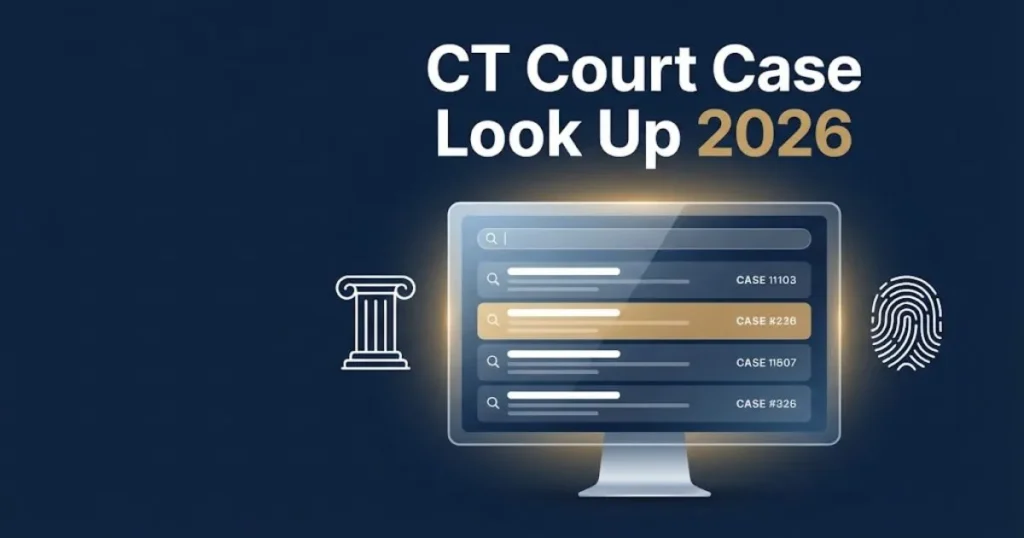
CT Court Case Lookup 2026
The CT court case lookup system in 2026 features significant digital upgrades. The Judicial Branch has expanded its e-filing and e-access capabilities this year. More document types are now viewable directly through the online portal.
Mobile search functionality has improved dramatically in 2026. The interface now works smoothly on smartphones and tablets. You no longer need a desktop computer to get reliable search results.
The state has also accelerated its records digitization project. Cases from the late 1990s that were previously paper-only are now appearing online. This expansion adds thousands of historical records to the searchable database.
- Expanded e-filing for all civil case types
- Improved mobile-responsive search interface
- New document download options for PDFs
- Faster overnight data refresh cycles
- Digitized records from 1995 to 1999 now online
The Judicial Branch plans to continue modernizing the system through 2027. Expect even broader document access and faster search speeds in future updates.
Frequently Asked Questions
Is the CT court case look up system free to use?
Yes, the CT court case look up system is completely free for basic searches. You can view case details, docket entries, and hearing dates at no charge. Fees only apply if you need certified or printed copies of documents.
How far back do Connecticut court records go online?
Most Connecticut court records are available online back to the early 1990s. Cases from 1995 onward are increasingly digitized as of 2026. Records older than that typically require an in-person visit to the courthouse or state library.
Can I look up sealed or expunged cases in Connecticut?
No, sealed and expunged cases do not appear in the public search system. Connecticut’s Clean Slate Act automatically erases qualifying records from public view. You would need a court order to access sealed case information.
How long does it take for a new case to appear online?
A new case typically appears in the online system within one business day. Cases filed on weekdays show up by the next morning. Weekend and holiday filings are processed on the following business day.
What information does a CT court case record include?
A CT court case record includes the case title, docket number, and filing date. It also shows all hearing dates, motions filed, and the final disposition. Detailed documents like complaints and orders may be available for download.
Your next step is simple. Head to the Judicial Branch eServices portal and run your first search today. Check the docket number format if you have one, or start with a name search. Bookmark this page and check back for updates as the 2026 system improvements roll out.